Back in Black - v2.0
Images en vedette
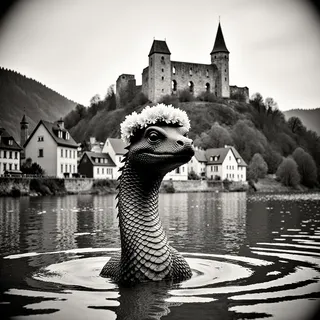

Prompts recommandés
backinblack landscape,backinblack grayscale monochrome portrait
Paramètres recommandés
samplers
steps
cfg
resolution
Conseils
For landscapes, use the keyword 'backinblack' with your landscape description for a distinctive black and white effect with over 50% probability.
For portraits, enhance the black and white effect by using the prompts 'backinblack, grayscale, monochrome'.
Aims
This model seeks to create black and white photos, with an emphasis on formal photography (think Magnum or Vogue covers). The use of lighting (high contrast) and composition, particularly in portrait and fashion photography, emphasizes a refined, timeless quality. All photos in the training set are from professionals from the 20th century, with an emphasis on French photographers and the new wave style. The techniques most represented (but not tagged) in the sample are:
vignetting. Edges of the photos are darker or out of focus, to emphasize the main subject.
burning and dodging. These effects are applied during the printing process. For portraits, they create a soft glowing light behind the main subject (it is not the same as rim light photography).
How to use
for landscapes, you only need the keyword backinblack and the description of your landscape. It has a high probability (>=50%) of giving you the distinctive black and white feel of the Lora.
for portraits, you may need to double down on the black and white effect by using the list (backinblack, grayscale, monochrome).
Related artists
Jeanloup Sieff (portraiture, fashion, some landscapes)
Henri Cartier-Bresson (photojournalism)
Richard Avedon
Raymond Depardon (landscape photography)
Robert Doisneau (street photography)

Détails du modèle
Type de modèle
Modèle de base
Version du modèle
Hash du modèle
Mots entraînés
Créateur

Discussion
Veuillez vous log in pour laisser un commentaire.
Collection de modèles - Back in Black

Images par Back in Black - v2.0
Images avec photographie


Images avec style






Images avec vignette


