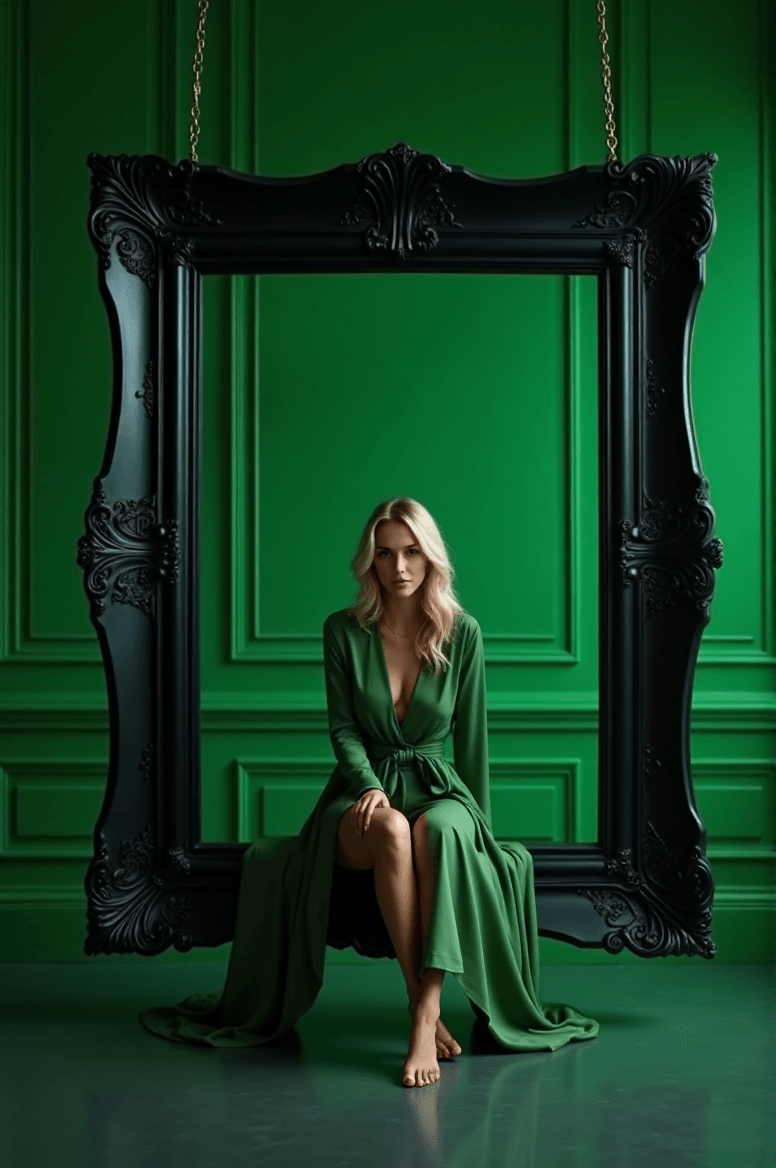
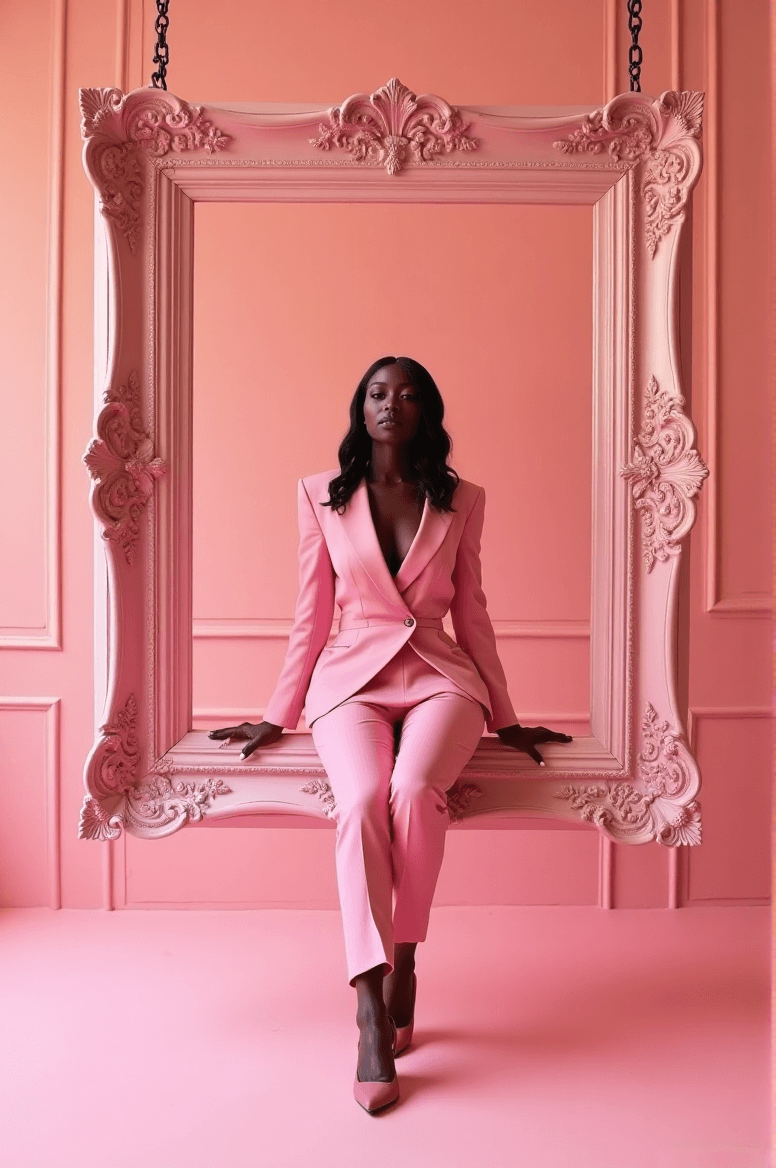
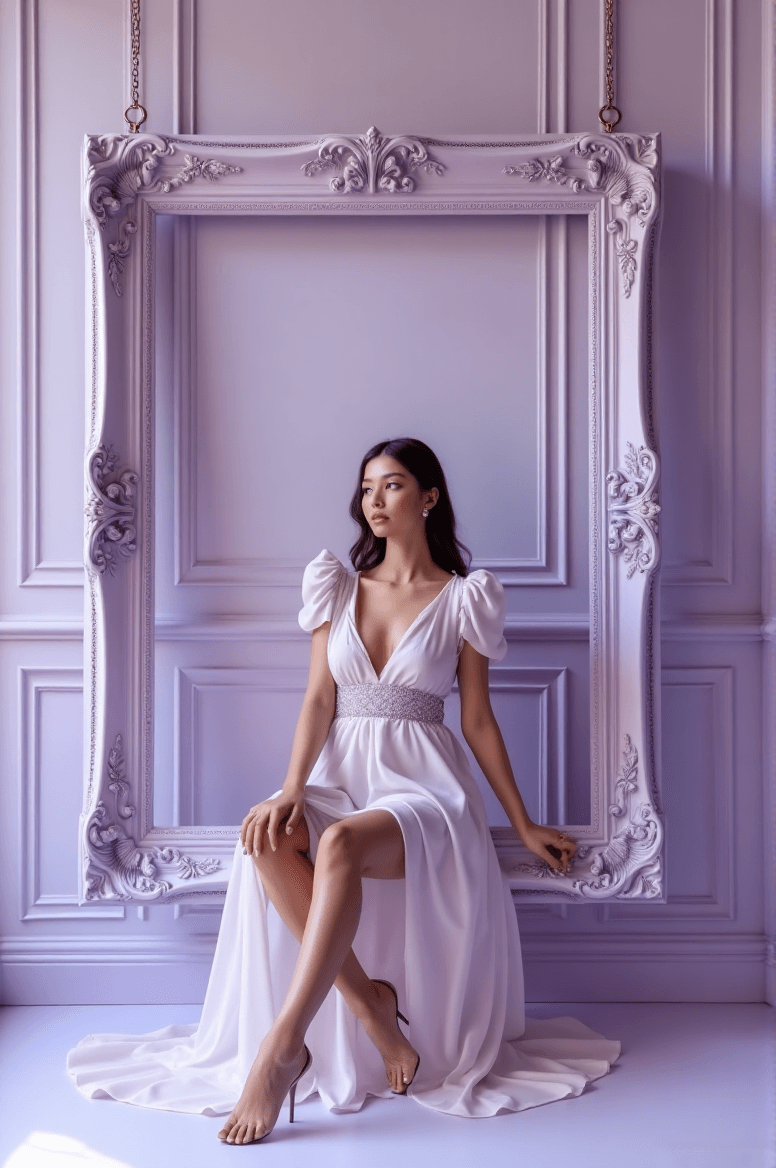
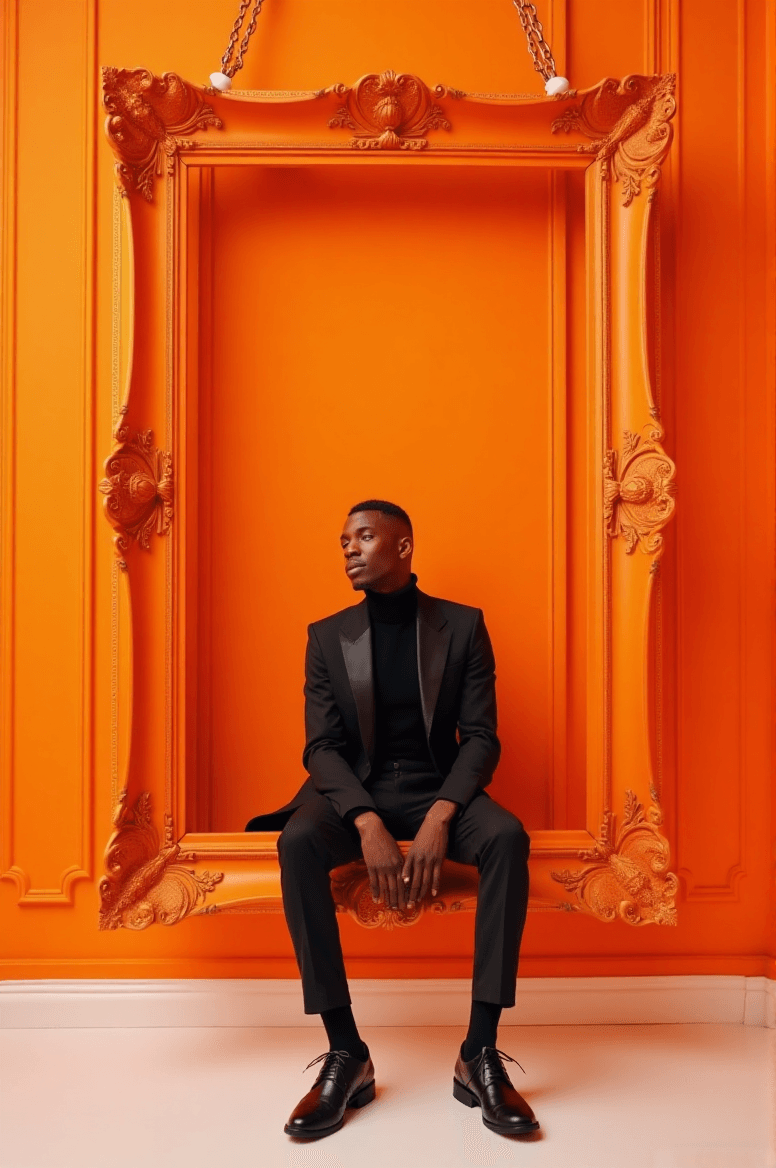
Diffus 이미지 생성기(Diffus Image Generator)로 고급 패션 인물 사진 만들기
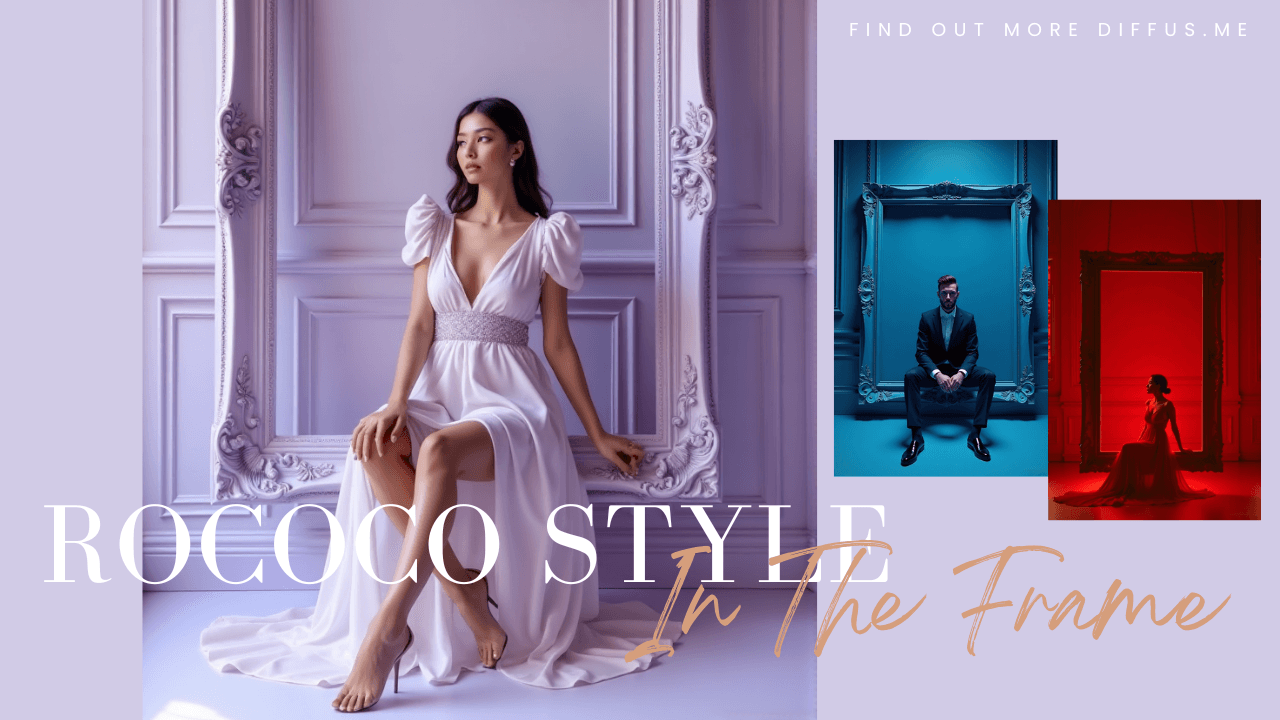
이 가이드는 Diffus 이미지 생성기를 사용하여 우아하고 럭셔리한 하이패션 인물 초상을 만드는 방법을 단계별로 설명합니다.
제공된 프롬프트(prompt)를 활용하는 방법, 자신의 캐릭터와 색상 테마에 맞게 조정하는 방법,
그리고 영화적·편집 디자인 감각이 돋보이는 유사한 초상 프롬프트를 작성하는 방법을 배울 수 있습니다.
🌟 중요 공지: 가장 정확한 생성 결과를 얻으려면 반드시 영어 프롬프트를 사용해야 합니다.
1단계: Diffus 이미지 생성기 열기
- https://diffus.me 에 접속합니다.
- 계정에 로그인하거나, 새 사용자라면 회원가입을 진행합니다.
- 메인 대시보드에서 Image Generator를 클릭합니다.
- 프롬프트를 입력할 텍스트 창과 이미지 스타일, 비율, 해상도를 설정할 수 있는 옵션이 표시됩니다.
2단계: 프롬프트 붙여넣기
아래의 전체 프롬프트를 복사하여 입력창에 붙여넣습니다:
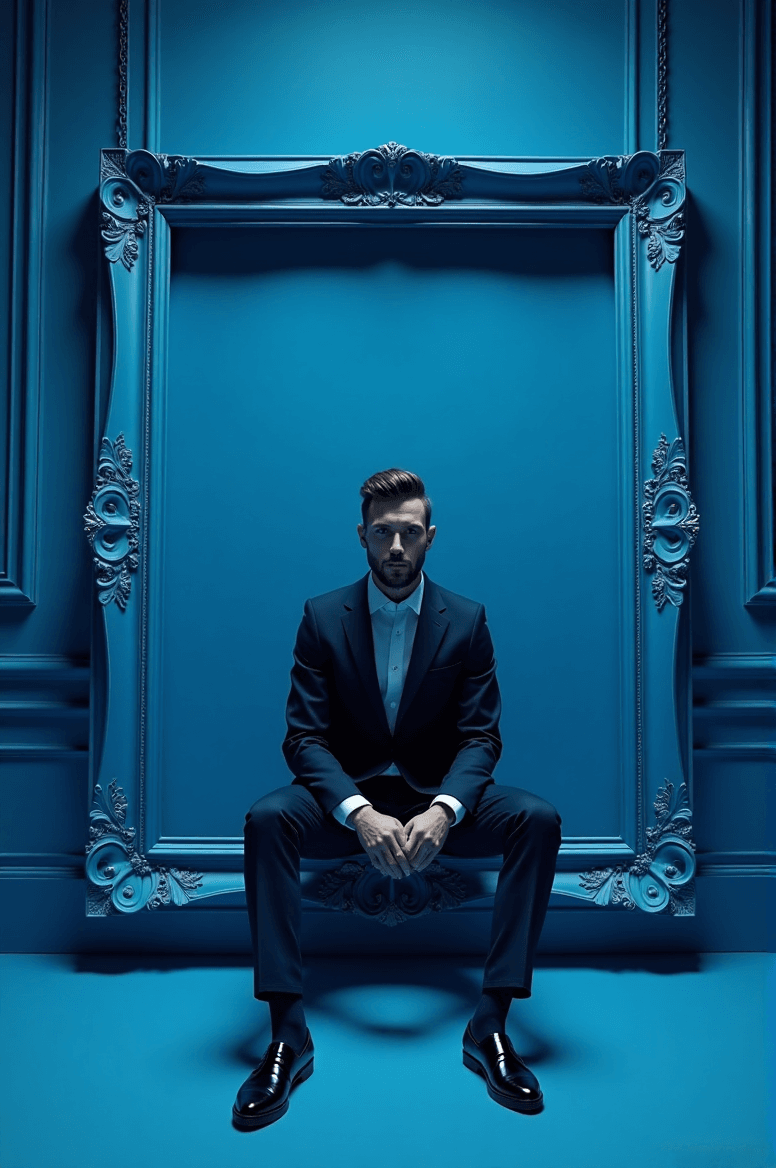
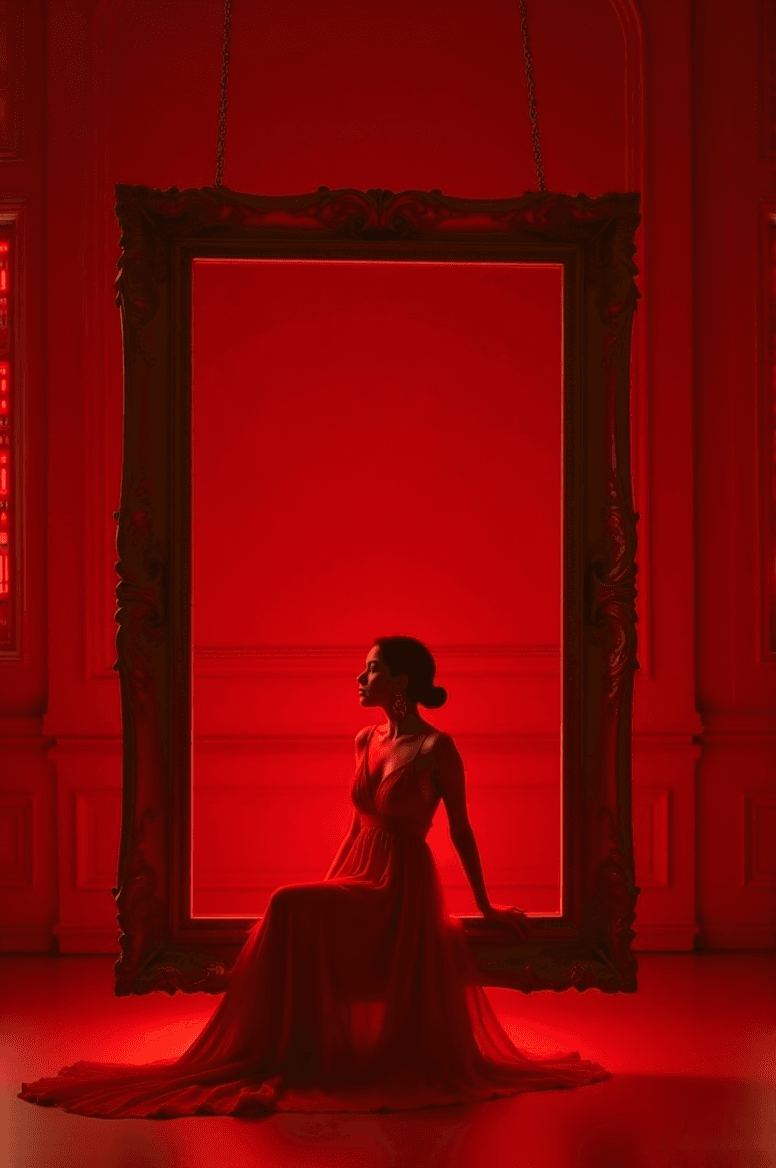
A luxurious high-fashion portrait of [CHARACTER DESCRIPTION] sitting gracefully on the inner lower edge of a large ornate rectangular picture frame, subtly suspended slightly above the floor by short hooks/chains at the top edge. The frame is perfectly level and floating with a visible gap from the floor. The entire scene follows a refined [COLOR THEME] monochromatic palette.
Frame:
• Ornate Baroque / Rococo rectangular frame
• Painted in [FRAME COLOR & FINISH] to match or tastefully contrast the paletteEnvironment:
• Background: elegant studio wall with classic molded paneling in [COLOR], harmonized with the chromatic theme
• Floor: slightly reflective surface in [FLOOR COLOR], same tone family for cohesive luxury aestheticsLighting:
• High-key cinematic fashion lighting
• Soft diffused glow on the subject and frame
• Gentle rim-light for clean silhouette separationCamera:
• Symmetrical centered full-body portrait
• Clean editorial fashion composition
• 8K ultra-detailed premium campaign qualityStyle tags:
monochromatic | ornate suspended frame | cinematic studio fashion | luxury editorial aesthetic
3단계: 변수 맞춤 설정 후 이미지 생성
대괄호 안의 내용을 자신에게 맞게 수정합니다. 예를 들어:
- [CHARACTER DESCRIPTION] → “검은 실크 드레스를 입은 자신감 있는 여성”
- [COLOR THEME] → “에메랄드 그린”
- [FRAME COLOR & FINISH] → “앤티크 골드, 새틴 마감”
- [COLOR] → “연녹색 패널 벽”
- [FLOOR COLOR] → “폴리시드 마블 그린(광택 대리석 녹색)”
수정이 완료되면 Generate 버튼을 클릭하고 30–60초 정도 기다립니다.
🟢 예시:
A luxurious high-fashion portrait of a confident woman in a black silk gown sitting gracefully on the inner lower edge of a large ornate rectangular picture frame, subtly suspended slightly above the floor by short hooks/chains at the top edge. The frame is perfectly level and floating with a visible gap from the floor. The entire scene follows a refined emerald green monochromatic palette.
Frame:
• Ornate Baroque / Rococo rectangular frame
• Painted in antique gold with satin finish to match or tastefully contrast the palette
Environment:
• Background: elegant studio wall with classic molded paneling in pale green panel wall, harmonized with the chromatic theme
• Floor: slightly reflective surface in polished marble green, same tone family for cohesive luxury aesthetics
Lighting:
• High-key cinematic fashion lighting
• Soft diffused glow on the subject and frame
• Gentle rim-light for clean silhouette separation
Camera:
• Symmetrical centered full-body portrait
• Clean editorial fashion composition
• 8K ultra-detailed premium campaign quality
Style tags:
monochromatic | ornate suspended frame | cinematic studio fashion | luxury editorial aesthetic
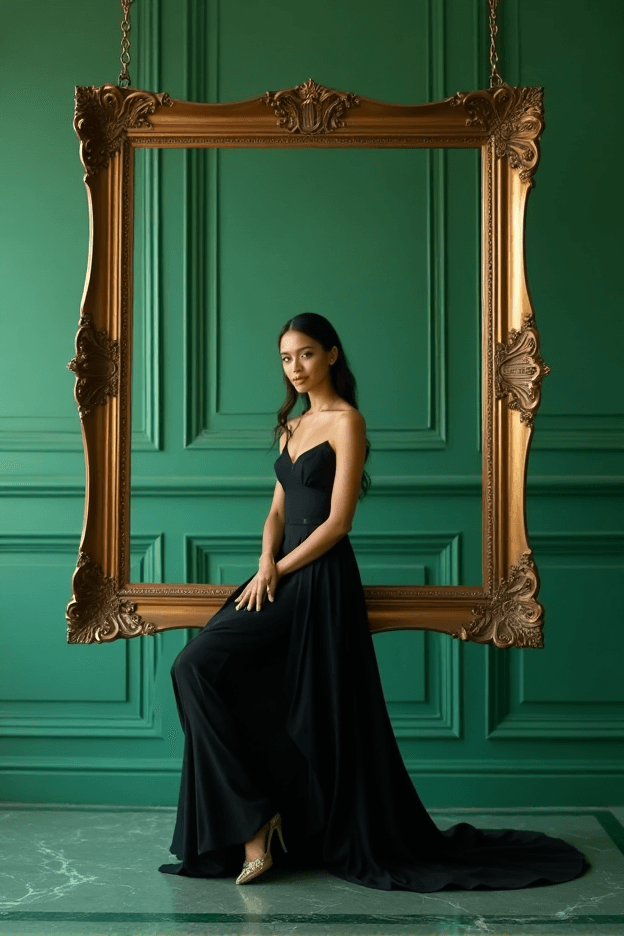
천의 질감, 색감, 조명을 구체적으로 묘사할수록 결과물이 더욱 풍부하고 영화적인 느낌으로 완성됩니다.
4단계: 결과 검토 및 수정
생성된 이미지에는 다음 요소들이 표현되어야 합니다:
- 살짝 공중에 매달린 장식적인 대형 액자 안에 앉아 있는 인물
- 전체적으로 조화로운 단색 컬러톤
- 균형 잡힌 영화적 조명과 그림자
- 고급 편집 스타일의 패션 초상
만약 결과가 완벽하지 않다면, 다음을 시도해 보세요:
- 색상 테마 변경 (예: “펄 화이트”, “크림슨 레드”, “미드나이트 블루”)
- 조명 강도 조정 (“부드러운 스튜디오 광원”, “드라마틱 하이키 조명” 등)
- 스타일 태그 수정 (“Vogue editorial aesthetic”, “fine art photography” 추가 등)
5단계: 저장 및 공유
만족스러운 결과가 나오면:
- Download 버튼을 클릭하고 PNG 또는 JPG 형식으로 저장합니다.
- 결과물이 마음에 든다면 Upload to Gallery 버튼을 눌러 Diffus 커뮤니티에 공유하세요 —
다른 사용자들이 당신의 이미지를 감상하거나 댓글을 남기고, 프롬프트를 리믹스할 수도 있습니다.
작품을 공유하면 커뮤니티가 새로운 프롬프트 아이디어와 시각적 스타일을 발견하는 데 도움이 됩니다.
✨ 지금 바로 Diffus 이미지 생성기에서 시도해 보세요!
예시와 팁이 포함된 전체 버전 튜토리얼은 Diffus 공식 웹사이트에서 확인할 수 있습니다.