DonM - GloomyNightmare [SDXL,Pony] - v1.0
Highlighted images

Recommended Prompts
detailed
Recommended Parameters
samplers
steps
cfg
resolution
other models
Tips
Use weights between 0.8 and 1.2 for best results; lower weights add subtle darkness.
Add the LORA trigger word for person images to ensure effect application.
Incorporate trigger words like Dark, Cimmerian, Crepuscular, and Twilight to emphasize gloominess.
Refer to the linked triggerword study for additional inspiration: https://civitai.com/articles/1435
Showcase images were generated with the 'Billions of Wildcard' model sets.
Creator Sponsors
Check out the Billions of Wildcard model sets featured in showcase images.
Support the author by buying a coffee for more creative tools and updates!
Did you ever had a gloomy nightmare? I love them! <3 And I fell in love with my SD1.5 LORA, too. So I decided to make it my first SDXL Lora.
Don't forget to leave a ❤️ to get a notification for future updates. ⭐ reviews are appreciated, too. Let me see what you can create with this tool. ;)
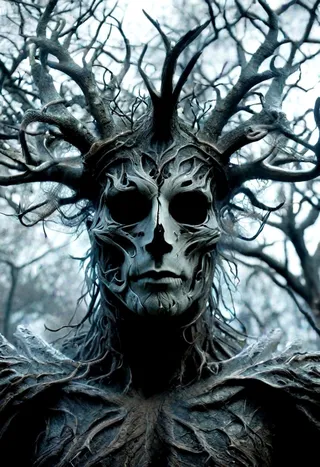
GloomyNightmare gives your images a sinister and gloomy touch. Fog, moody lights, hanging things and creepy shapes.
You can use it without triggerword, but add it for persons, just to be sure.
For sceneries it works fine for around weights of 0.8
For People I'd suggest weights of 1.0-1.2 (maybe more)
In general I had good results betwenn .8 and 1.2
At low weight, it adds a slight darkness and ruggedness to your images.
Use matching triggerwords to increase the gloominess:
Like: Dark, Cimmerian, Crepuscular, Dim, Dreary, Dusky, Eerie, Funereal, Gloomy, Murky, Obscure, Opaque, Penumbra, Sombre, Shadowy, Shady, Somber, Stygian, Tenebrous, Twilight, Umbral
Have a look at my triggerword study for more inspirations, if you like.
The showcase images are made with my "Billions of Wildcard" sets.
If you like what I'm doing, buy me a coffee and some free time. ;)

Model Details
Model type
Base model
Model version
Model hash
Trained words
Creator

Discussion
Please log in to leave a comment.






