Chroma / Flux1. D - Chaotic Effects / Textures 'N' Pattern - Chroma - v2.0
Highlighted images


Recommended Parameters
samplers
steps
cfg
clip skip
vae
other models
Tips
Low strength (around 0.4 - 0.5) is recommended due to the model’s strong influence which can cause blurry images and bad anatomy.
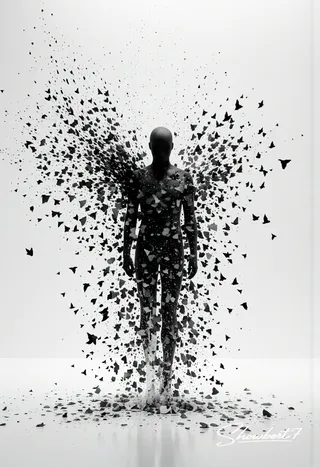
The model adds detail, chaos, and texture effects like dust, fog, and sand to enhance bland images.
Because the text-encoder is not trained, the prompt may overpower the LoRA’s influence; experimentation with usage is advised.
Version Highlights
More stuff
Creator Sponsors
Check out the full Chroma model on Civitai. The author plans a full release with its own category soon.
Chroma - V2.0
Added a few things i was missing last time. Still need to test a bit more when and how to use it, because to create the training data pictures themself is not the main reason for the lora.
Will let it rest for now. With the amount of textures / effects with very different themes etc it takes way too long to train. Also, Chroma has the same behaviour as normal Flux in some cases, where the prompt itself seems to overpower any lora. Searching all of the training images where i need to change the captions is to much work and perhaps useless anyway, because the text-encoder doesn't get trained.
However, it still has a strong influence on pictures, which can result in blurry images and bad anatomy, so low strength is recommended.
Kinda tricky to explain something without pictures to back it up. Guess i'll just use it here and there like always.
Chroma
Missed a few things i still wanna add like dust, fog, sand etc. I mostly try to cover all bases, so depending on the strength it should add a little "something" to an image if it's to boring or just to get surprised.
First and second picture - Lora ON / Second picture Lora OFF.
The rest in reverse - Lora OFF / ON
Since i train a lot of models atm for experimentation and got asked a few times why the LoRAs can't be found on Civit i thought i could at least release this one.
It's a merge of 2 models i've trained, both limited to about 50 images. Seems to be the better solution instead of training 100 images at the same time. The model is very strong, so i would suggest keeping it low ( 0.4 - 0.5 ). Just used a higher weight in the example images to show better what it does... kinda
Main reason for the model is pretty much to add a bit of detail, chaos and texture. Like always, i'm not aiming for the images it was trained on, but to add something to otherwise bland looking stuff.
All made with Flux Krea FP8.
Something as a side note. I will most likely switch completely to Chroma https://civitai.com/models/1330309/chroma once V50 gets released ( and Krea for some things ). Hope Chroma will finally get it's own category after full release, because there is nothing that can hold a candle to this fucker imho. That is if Civit survives the whole censoring, Visa/Mastercard bullshit and the general decline that is going on in the moment.

Model Details

Discussion
Please log in to leave a comment.