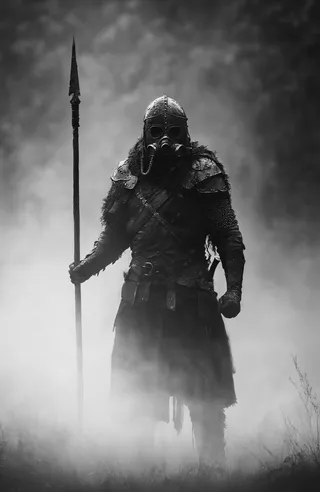
Envy Haze / Clarity Slider XL 01 - v1.0
Related Keywords & Tags
Highlighted images

Recommended Prompts
haze
haze, digital painting
Recommended Negative Prompts
haze
western comics
Recommended Parameters
samplers
steps
cfg
resolution
vae
other models
Recommended Hires (High-Resolution) Parameters
upscaler
upscale
steps
denoising strength
Tips
Weight the LECO LoRA positively in the positive prompt to strengthen 'haze' for hazy scenes.
Weight the LECO LoRA negatively in the negative prompt to reduce or invert the haze effect for clear scenes.
Experiment with opposite weighting as it may yield interesting image effects depending on the checkpoint.
Use the SendToNegative extension to simulate moving words between positive and negative prompts.
Creator Sponsors
Dramatically increase or decrease the amount of haze, fog, pollution, and so on in your scene.
This is a LECO, a special type of LoRA that amplifies Stable Diffusion's own understanding of a trigger word. The trigger word in this case is "haze". If you weight this LoRA positively, then the word "haze" will be strengthened. Weight it negatively and it will eventually be weakened and even have the opposite effect.
I've found that you'll generally have more dramatic results with the LoRA weighted positively, and then if you want a hazy scene you put it in the positive prompt, and if you want a clear scene you put it in the negative prompt. However, doing the opposite of this can have interesting effects as well, and is worth trying. Different checkpoints will probably need this LoRA to be weighted differently, so definitely play around with it.
Note: Curious about "<!haze!>" in my prompt? I'm using SendToNegative so that I can use Prompt S/R to simulate moving a word from the positive prompt to the negative prompt.
Contributor

Model Details

Discussion
Please log in to leave a comment.