Glow Effect - v1.0
Related Keywords & Tags
Highlighted images


Recommended Negative Prompts
girl,woman,human
easynegative, light-negative-neg, borders, frames, out of frame, (person, girl, 1girl, woman)
Recommended Parameters
samplers
steps
cfg
clip skip
resolution
other models
Recommended Hires (High-Resolution) Parameters
upscaler
upscale
denoising strength
Tips
Weight the Glow TI for a more dramatic effect.
Lower the weight to use it as a good lighting embedding.
Mixing with other TIs and/or LoRas can overpower it, so use weights carefully.
Specify a single color for the glow or leave unspecified for multicolor.
Adding 'black background' enhances the glow effect.
Version Highlights
It tends to favor people (as in it tends to put women in your images even when you ask for something else like a cat), but does work with other objects. If you don't want people, try putting (girl, woman, human) in your negative and weight what you do want in your prompt like (cat)2 or whatever it takes to get it to work the way you want.
Creator Sponsors
Check out the Crystal Statue TI to achieve similar effects as the crystal dove picture.
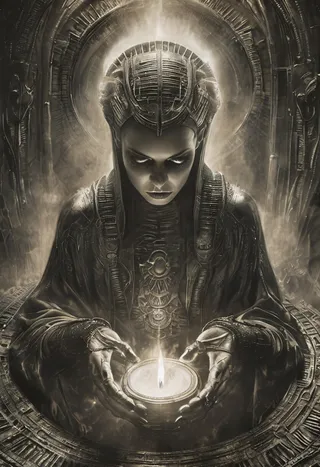
It makes things glow. Version 1 makes a good lighting TI even if you aren't trying to make it things glow. Version 2 is very glow-y.
Showcase images were mostly generated with Dreamshaper8. This TI is NOT designed to work with XL or Pony.
Version 1 tends to favor people (as in it tends to put women in your images even when you ask for something else like a cat), but does work with other objects. If you don't want people, try putting (girl, woman, human) in your negative and weight what you do want in your prompt like (cat)2 or whatever it takes to get it to work the way you want.
Version 2 is less likely to add people when no people are asked for and has a more pronounced glow effect.
If you want a more dramatic effect then weight it as with any TI. If you lower the weight though it works as a good lighting embedding. Mixing it with other TIs and/or LoRas tend to overpower it, so if you do that, definitely weight it.
Specify a color for a single glow color or don't and it will have many colors.
Add "black background" or something similar for the most glow, or don't and see what happens. It does work either way.
Have fun and please feel free to share with me what you make. I love to see what other people create.
This was made as a pickletensor and then converted to a safetensor (thank you @hmonk), so if something goes wrong with the safetensor file, please let me know.
A lot of people have been trying to copy my crystal dove picture. To get anything like it, you need my Crystal Statue TI too. Put this TI (the glow effect one) first in your prompt and then the crystal one and make sure you have people in your negative as described above.

Model Details
Model type
Base model
Model version
Model hash
Trained words
Creator

Discussion
Please log in to leave a comment.