Illus Scores - IllusP0s
Related Keywords & Tags


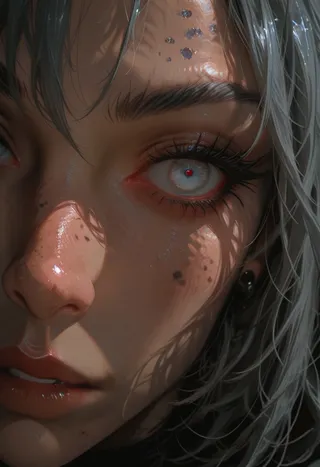


Recommended Prompts
vibrant, stunningly beautiful, crisp, detailed, sleek, ultramodern, subtle shadows, high contrast, cinematic, ultra detailed, intricate, professional
dynamic pose, interesting angle, eye catching composition, depth of field, forced perspective
masterpiece, best quality, amazing quality, very aesthetic, absurdres, newest
IllusP0s, 1girl, portrait, closeup, fantasy, dark magician girl, smiling, spoken exclamation mark, volumetric lighting, magic laboratory
Recommended Negative Prompts
bad quality, worst quality, worst detail, sketch, censored, watermark, signature, artist name
IllusN3g
Recommended Parameters
samplers
steps
cfg
clip skip
resolution
other models
Tips
Lower the CFG to 4 for more creativity when using the F4st embedding.
Add IllusP0s to your positive prompt and IllusN3g to your negative prompt at the beginning for a quick optimized prompt.
Using embeddings like F4st can be great for initial ControlNet image generation steps or as-is.
Update! (Well, not really, i just think adding a new embedding here is a better idea 😅)
cr1sp:
vibrant, stunningly beautiful, crisp, detailed, sleek, ultramodern, subtle shadows, high contrast, cinematic, ultra detailed, intricate, professionalI have been using the same set of key words to help generating better stuff using HoJ, i have been tired typing or copy/pasting them, so, here is an embedding 😅
F4st:
dynamic pose, interesting angle, eye catching composition, depth of field, forced perspectiveWants a dynamic pose for your character and don't want to bother remembering a good combination of prompt to get it?
Just try F4st!
Lower the CFG to 4 for more creativity, put just this embedding in the prompt, the character and the background and run a few generation with random seed 👌
Can be great to get a first good step for ControlNet or as-is 😉
Previously:
So, i like the idea behind PonyScores, which help me not bother with remembering all the needed tags to be added for a good picture... and since i started playing with Illustrious, i created these helper embedding for a quick prompt :D
IllusP0s:
masterpiece, best quality, amazing quality, very aesthetic, absurdres, newestIllusN3g:
bad quality, worst quality, worst detail, sketch, censored, watermark, signature, artist nameIf you want to give it a try, just add both of those at the beginning of your positive and negative prompt and don't bother more than that, it should do the trick :D

Model Details
Model type
Base model
Model version
Model hash
Trained words
Creator
Discussion
Please log in to leave a comment.
Model Collection - Illus Scores
illustrious Images