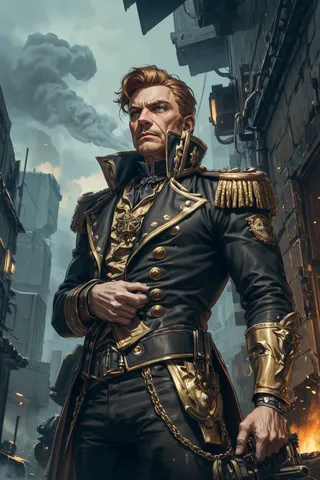
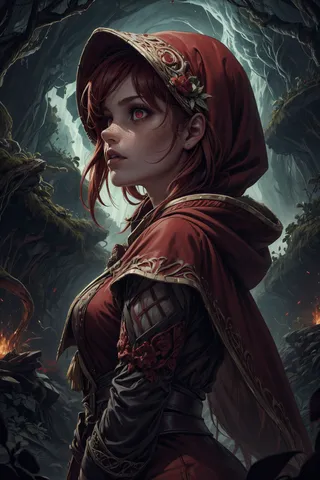
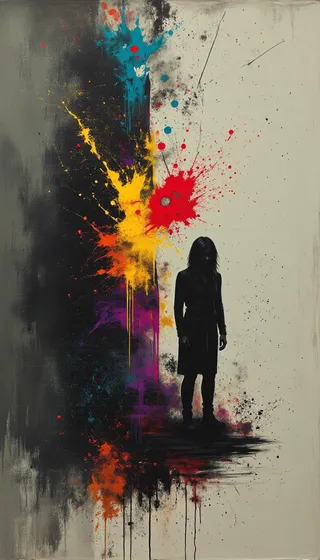
Jib Mix Artful - v1.0
Highlighted images

Recommended Prompts
deep impasto brush strokes,painterly style,looking at the camera
painterly style
Recommended Negative Prompts
((bokeh)), Deviantart, jpeg, (worst quality, low quality, normal quality, lowres, low details, oversaturated, undersaturated, overexposed, underexposed, grayscale, bw, bad photo, bad photography, bad art:1.4), (watermark, signature, text font, username, error, logo, words, letters, digits, autograph, trademark, ugly, name:1.2), (blur, blurry, grainy), morbid, asymmetrical, mutated malformed, mutilated, poorly lit, bad shadow, glitch, draft, cropped, cartoon, anime, out of frame, cut off, ((bokeh)) Deviantart, censored, jpeg artifacts, out of focus, duplicate, (airbrushed, semi-realistic, cgi, render, blender, digital art, manga, amateur:1.3), (3D, 3D Game, 3D Game Scene, 3D Character:1.1), (bad hands, bad anatomy, bad body, bad face, bad teeth, bad arms, bad legs, deformities:1.3)
Recommended Parameters
samplers
steps
cfg
resolution
Tips
Include 'deep impasto brush strokes' and 'painterly style' in prompts for deep visible paint and brush strokes.
Add 'looking at the camera' in portrait prompts to make subjects look directly at the camera.
Version Highlights
Initial version
I have taken a version of my Jib Mix Realistic 11 model that I noticed was very good at doing painted and draw art styles and further mixed and added artistic Loras to make it even more arty.
If you want really deep visible paint/brush stokes then put "deep impasto brush strokes" and "painterly style" in the prompt.
I noticed that in portraits the subject might not look at the "camera" by default like they often do in most stable diffusion models, so if you want that to happen it is good to put "looking at the camera" in the prompt.
Contributor

Model Details

Discussion
Please log in to leave a comment.