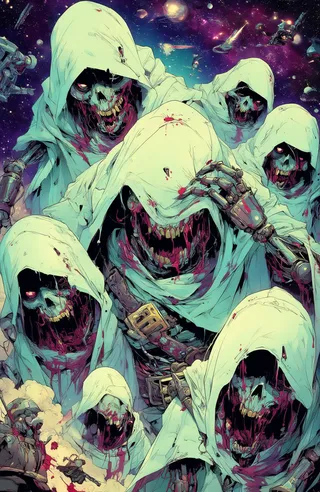
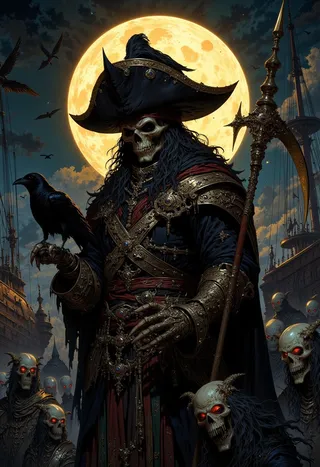
Promptcore (Flux + XL) - Glitchcore Flux
Related Keywords & Tags
Highlighted images

Recommended Parameters
samplers
steps
cfg
resolution
other models
Tips
Try mixing different Promptcore 'cores' to achieve unique image effects.
Weight blending for LoRA models can range from 0.1 to 1 depending on desired style and base model.
For FLUX in Forge, ensure Diffusion in Low Bits is set to 'Automatic (fp16 LoRA)'.
Use Promptcore responsibly and follow ethical guidelines when creating and sharing content.
Version Highlights
Glitchcore Flux
Try values between 0.1 and 1 (depending on sampler and scheduler)
Sampler: Euler
Scheduler: Normal/Simple/Beta
Distilled CFG Scale (Guidance): 2-5
****NOTE****
Lower Distilled CFG values will result in better textures and abstract designs!
gl1tchc0re <lora:Glitchcore_Flux:0.8> Other words to use in your prompts:
glitch, digital glitch, abstract glitch, glitched render, glitched graphicThis is an interesting one and can be tricky! Have fun!!
 Promptcore
A unique aesthetic style in each "core". Mash 'em together and get really interesting results!
About
Why the "cores" and why so many? Well, because at their core, these are the base styles that I like for each subject/theme. I make other LoRAs too but keep coming back to Promptcore because of the general aesthetics I create for each theme.
All SDXL generations were done with: Descent Engine XL
Try mixing different cores to get unique effects!
These cores are designed to be mixed together! Try mixing Glitchcore into your Zombiecore images. Mix Darkcore with Cottagecore to get spooky yet cute looking houses in the forest - a true Witchcore dream! Try different weights and add numerous "cores" together to get unique and interesting images.
Usage
Flux settings...
Sampler: Euler
Schedule: Normal/Beta
Distilled CFG (Guidance) 1.5-6
Steps: 15-40+
Important Note: Using FLUX in Forge - ensure that Diffusion in Low Bits is set to:
Automatic (fp16 LoRA)Try adding the LoRA at full strength (example)
<lora:Poisoncore:1> ... or try blending it with more of your base model (example)
<lora:Poisoncore:0.5>Depending on your model and desired overall style, the weight works down to 0.1-1.
Futurecores (see what I did there?)
Stay tuned! I will continue to update this as I produce new Promptcore models.
Update:
I am not getting enough interest or image sharing with the XL versions of these. For now, I will hold off on training the XL versions of these unless enough requests come through to warrant doing so.
Disclaimer: Promptcore is designed to deliver imaginative and high-quality stylization to generations, but the output is shaped by sophisticated algorithms and user inputs. The responsibility for the content produced using this model rests with the user. Please use Promptcore responsibly, and always follow ethical guidelines when creating and sharing your content.

Model Details
Model type
Base model
Model version
Model hash
Trained words
Creator

Discussion
Please log in to leave a comment.