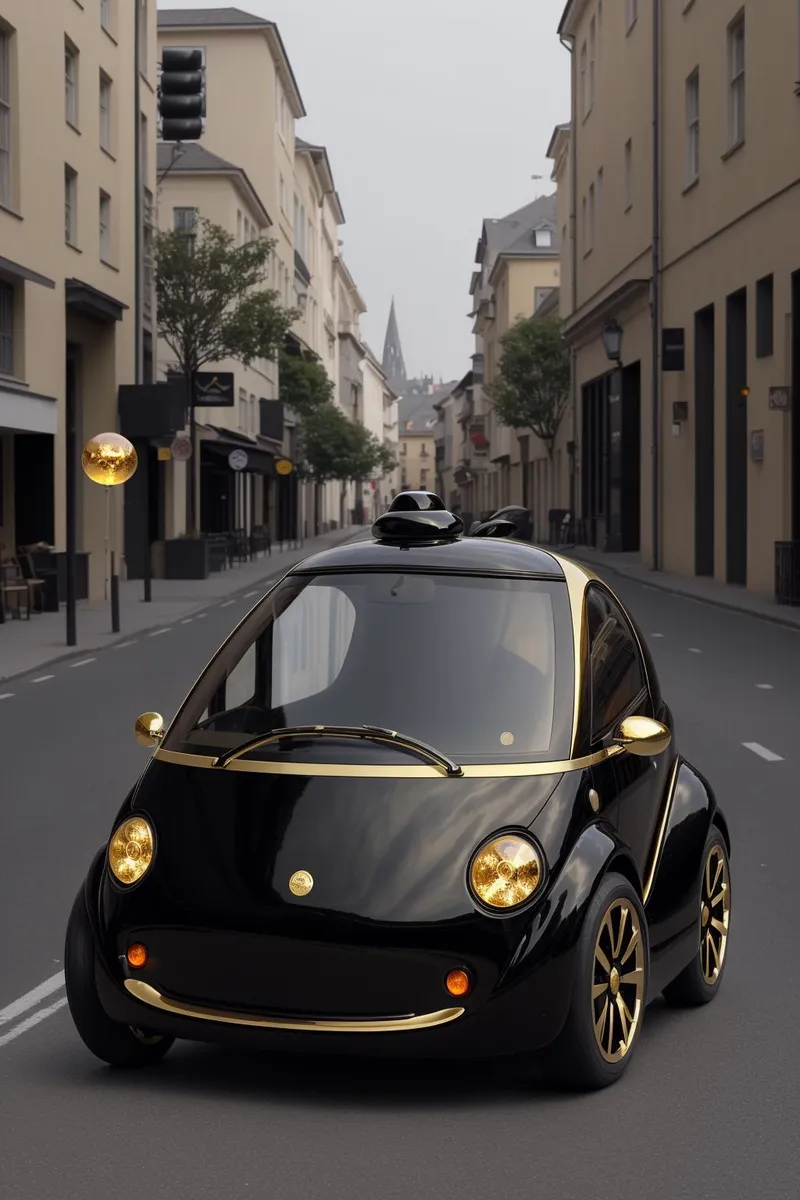
YFG Hyper [FLUX] - v1.0
Highlighted images

Recommended Prompts
YFG-HPR,hypercar,super car,futuristic vehicle,concept car,top-down perspective,streamlined hood,sleek wheel rims,sculpted headlights,chrome highlights,metallic sheen,glossy surfaces,visually striking
Recommended Negative Prompts
no vehicle,no car
Recommended Parameters
samplers
steps
cfg
other models
Tips
If you’d rather not see a full hypercar, try lower LoRA strength or incorporate negative prompts such as “no vehicle” or “no car”.
Combine with architectural or sci-fi LoRAs for retro-futuristic scenes.
Use dramatic overhead or studio lighting to complement the glossy, metallic look.
Rim lighting can emphasize curves, lines, and paneling in top-down automotive shots.
Use bright neon or gradient tones to highlight futuristic designs; muted palettes produce a more realistic or industrial vibe.
Metallic or pearlescent colors showcase the shine best.
Version Highlights
Trained exclusively on images of concept hyper cars in a top down view. No captions on training data except for trigger word.
YFG Hyper: Futuristic Top-Down Hypercar Concepts
YFG Hyper is a LoRA designed to produce stunning overhead views of cutting-edge, concept hypercars. Whether you’re aiming for ultra-modern automotive renders or adding a gleaming metallic twist to other subjects, this LoRA supplies surfaces with extra polish, shine, and a futuristic finish.
Key Features
Top-Down Hypercar Focus
Specially trained on futuristic hypercar images shot from above.
Expect sleek lines, aerodynamic contours, and sci-fi-inspired design elements.
Versatile Shine & Metallic Finish
Surfaces gain a glossy, plastic-like or metal sheen, giving a refined, modern aesthetic.
Natural metal objects or backgrounds may become enhanced with metallic coloring and texture.
Unintentional Hypercar Appearances
Even when not explicitly prompted for cars, the LoRA may introduce hints of automotive design or random hypercar elements.
Strength adjustments can mitigate or enhance this effect.
Recommended Usage
Trigger / Prompt Word
Use “YFG-HPR” to activate the LoRA’s hypercar stylization.
Combine with keywords like “hypercar,” “super car,” “futuristic vehicle,” or “concept car” for a stronger automotive impact.
LoRA Strength
Suggested around 0.8 for pronounced hypercar designs.
Adjust higher or lower to balance realistic or subtle metallic finishes with your chosen theme.
Possible Additional Prompts
“Top-down perspective,” “streamlined hood,” “sleek wheel rims,” “sculpted headlights,” “concept hypercar,” etc.
Works well with terms like “chrome highlights,” “metallic sheen,” “glossy surfaces,” or “visually striking.”
Tips & Tricks
Blend With Other Themes
If you’d rather not see a full hypercar, try lower LoRA strength or incorporate negative prompts (e.g., “no vehicle,” “no car”).
Alternatively, combine with architectural or sci-fi LoRAs for retro-futuristic scenes.
Lighting & Reflections
Dramatic overhead or studio lighting complements the glossy, metallic look.
Rim lighting can emphasize curves, lines, and paneling in top-down automotive shots.
Use of Color
Bright neon or gradient tones highlight futuristic designs, while muted palettes produce a more realistic or industrial vibe.
Metallic or pearlescent colors showcase the shine best.
YFG Hyper brings visionary concept vehicles to life from a striking overhead angle, infusing every surface with a modern, metallic gleam. Whether you want show-stopping automotive scenes or just a dash of futuristic polish, adjust the LoRA strength and prompts for limitless, high-octane creativity!

Model Details
Model type
Base model
Model version
Model hash
Trained words
Creator

Discussion
Please log in to leave a comment.