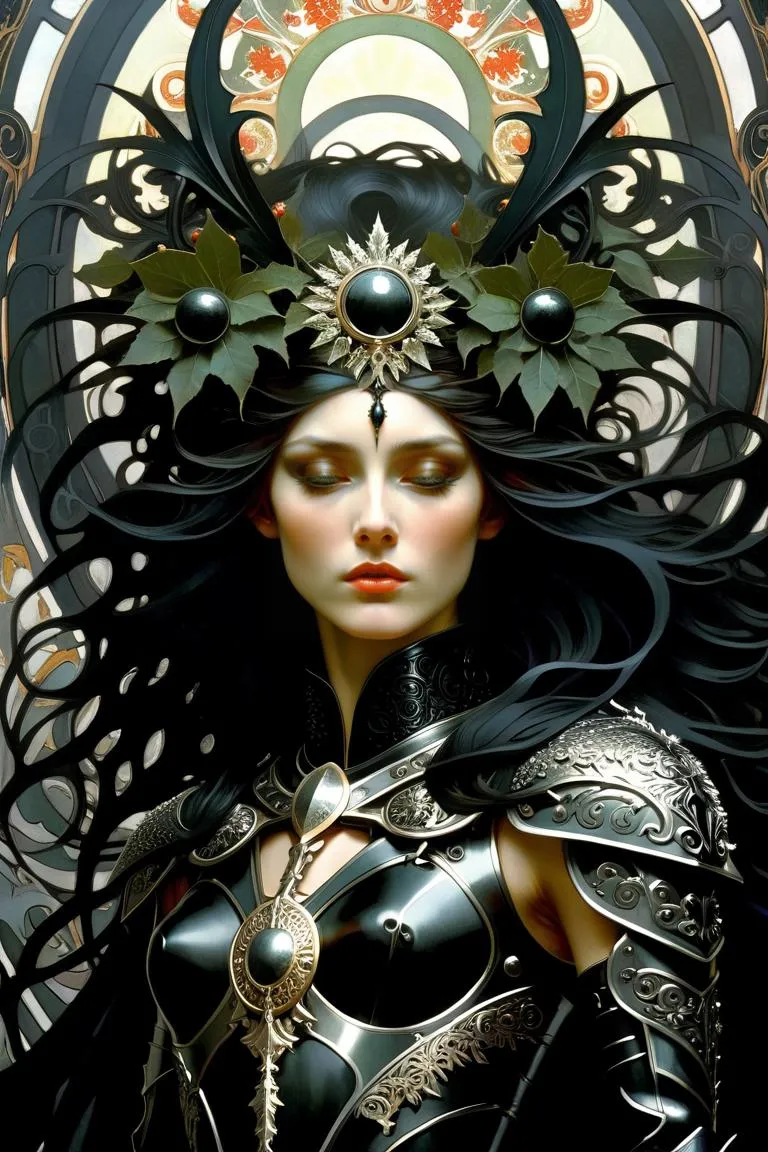
YFG Thorn [Flux Krea] - v1.0 e16
Highlighted images


Recommended Prompts
Gritty cyber wanderer in a hooded coat and thorned armor, glowing red visor, rain-slick alley, cinematic backlight.
A heavily greebled cockpit, pilot in red jacket at the controls, graffiti panels and blue monitors, industrial haze.
A poster of a veteran scavenger in fur-lined gear, splatter yellow background, bold graphic outline, red HUD reflections.
Street sentinel with spined exosuit and clawed gloves, drifting snow, low-key lighting, ember sparks.
Derelict hangar control room, tangled cables and taped screens, operator silhouette with red eye lenses.
Recommended Parameters
samplers
steps
cfg
other models
Tips
Control Density – Lower strength toward 0.35–0.45 or add negatives like 'avoid cluttered background,' 'fewer cables' to reduce noisy details.
Lean Into Color Accents – Specify palettes such as 'gunmetal + red,' 'teal monitors + rust,' or 'yellow poster background' for stronger visual impact.
Camera & Light – Use 'close-up portrait,' 'three-quarter hero pose,' 'volumetric backlight,' 'neon rim light' to enhance the mech-noir mood.
Blend With Other LoRAs – Pairs well with YFG Daak, YFG FaceGear, and glitch/graphic overlays; keep Thorn Krea strength near 0.4–0.6.
Keep Faces Readable – For portraits, add 'face clarity,' 'visor slightly transparent,' or reduce bloom/flare if optics overpower features.
Version Highlights
Trained on AI Generated Images
Epoch 16
Creator Sponsors
YFG Thorn Krea – Gritty Tech-Nomad & Mech-Noir Aesthetic
Style
Weathered cyber-gear, spined silhouettes, and hard-edged tech with heavy greebles. Expect fur-trimmed coats over armored exosuits, scarred visors/helmets, graffiti-stained cockpits, glowing optics (often red), and splatter or poster-like backgrounds. Works for lone wanderers, cockpit interiors, and street-level mech-noir scenes.
Trigger
None. Steer with phrases like “thorned armor,” “gritty cyber wanderer,” “industrial cockpit,” “red HUD glow,” “splatter poster background,” “heavy greebles and cables.”
Strength
Tested 0.20 – 1.00.
Sweet spot ≈ 0.40 for most scenes.
Very strong with Flux.1 Krea Dev.
For Flux.1 Dev, you can push to ~0.75 for excellent results.
Key Characteristics
Thorned Tech Silhouettes – Spiky accents, clawed gloves, ribbed plates, and jagged trims.
Greebled Armor & Gear – Dense mechanical detail, bolts, cables, and panel seams.
Poster / Graphic Punch – High-contrast compositions; splatter or flat-color backdrops work well.
Cinematic Red Accents – Glowing eyes, UI glyphs, and warning LEDs amid gunmetal palettes.
Lived-In Machines – Rust, scratches, tape fixes, and graffiti over consoles and bulkheads.
Prompt Ideas
“Gritty cyber wanderer in a hooded coat and thorned armor, glowing red visor, rain-slick alley, cinematic backlight.”
“A heavily greebled cockpit, pilot in red jacket at the controls, graffiti panels and blue monitors, industrial haze.”
“A poster of a veteran scavenger in fur-lined gear, splatter yellow background, bold graphic outline, red HUD reflections.”
“Street sentinel with spined exosuit and clawed gloves, drifting snow, low-key lighting, ember sparks.”
“Derelict hangar control room, tangled cables and taped screens, operator silhouette with red eye lenses.”
Tips & Tricks
Control Density – If detail gets noisy, lower strength toward 0.35–0.45 or add negatives like “avoid cluttered background,” “fewer cables.”
Lean Into Color Accents – Specify palettes such as “gunmetal + red,” “teal monitors + rust,” or “yellow poster background.”
Camera & Light – “close-up portrait,” “three-quarter hero pose,” “volumetric backlight,” “neon rim light” sell the mech-noir mood.
Blend With Other LoRAs – Pairs well with YFG Daak, YFG FaceGear, and glitch/graphic overlays; keep Thorn Krea near 0.4–0.6 so collaborators stay readable.
Keep Faces Readable – For portraits, add “face clarity,” “visor slightly transparent,” or reduce bloom/flare if optics overpower features.
Forge rugged techno-myths and cockpit dramas with YFG Thorn Krea—dial the strength to shift from grounded street gear to spiked, poster-worthy mech noir.

Model Details

Discussion
Please log in to leave a comment.