一名女性角色穿戴南非傳統珠飾風格,展示複雜的珠飾圖案、色彩繽紛的首飾及文化服飾,背景細緻且色彩鮮明。

推薦提示詞

(masterpiece, best quality, highres:1.2), (photorealistic:1.2), (intricate and beautiful:1.2), (detailed light:1.2), (colorful, dynamic angle), RAW photo, upper body shot, fashion photography, YOUR PROMPT, (highres textures), dynamic pose, bokeh, soft light passing through hair, (abstract background:1.3), (sharp), exposure blend, bokeh, (hdr:1.4), high contrast, (cinematic), (muted colors, dim colors, soothing tones:1.3), morbid

(best quality, masterpiece, colorful, dynamic angle, (intricate details, hyperdetailed:1.15), detailed, moonlight passing through hair, extreme detailed, highest detailed), HDR+

推薦反向提示詞

(worst quality, low quality), negative_hand-neg, bad-hands-5, naked, nude, braless, cross, sepia, black&white, B&W, painting, drawing, illustration

EasyNegative

推薦參數

samplers

DPM++ 2M SDE Karras, DPM++ 2M Karras

steps

15 - 50

cfg

3 - 7

clip skip

2

resolution

576x1024, 768x1024, 512x904

vae

840000 ema pruned - 1.0, vae-ft-mse-840000-ema-pruned.ckpt (c6a580b13a)

推薦高解析度參數

upscaler

4x-Ultrasharp, 4X NMKD Superscale, R-ESRGAN 4x + Anime6B

upscale

1.5 - 4

steps

15 - 30

提示

Avoid excessive negative prompts as they can worsen results.

Try generating images without applying LoRA first to appreciate the model's capability.

Use ADetailer extension for improved detail; install from https://github.com/Bing-su/adetailer on A1111.

Recommended to use xFormers optimization if possible; otherwise use SDP attention mode for better performance.

For inpainting, focus on the face area with 50 sampling steps and use positive prompts like 'ultra realistic, best quality, masterpiece, perfect face'.

版本亮點

Pruned Version.

FIRST OF ALL:
MY RECOMMENDED SETTING HAS CHANGED. Now there is image optimization even for those who cannot install the xformers module.


Well, to be honest, I'm not at all satisfied with this version, sorry guys. The positive thing is that perhaps it has fewer "facial flaws" (in case you don't like facial moles, put in the negative prompt "mole".

The bad thing is that the hands are a mess.

Lately I prefer to use EasyNegative rather than FastNegativeV2 because the latter flattens the images too much. As always, the choice is yours

創作者贊助

!!! UPLOADING/SHARING MY MODELS OUTSIDE CIVITAI IS STRICLY PROHIBITED* !!!


Check my EXCLUSIVE models on Mage.Space: AniMage PXL AniReal PXL Lucid Dream AniMage SD1.5 Realistic Portrait
SDXL - Pony: AniVerse PXL AniMerge PXL AniToon PXL AniMics PXL AniVerse XL
SD1.5: AniVerse AniThing AniMerge AniMesh AniToon AniMics


Also in Collaboration with Shakker.ai


This model is free for personal use and free for personal merging(*).
For commercial use, please be sure to contact me (Ko-fi) or by email: samuele[dot]bonzio[at]gmail[dot]com


⬇Read the info below to get the high quality images (click on show more)⬇


Aniverse - is just the beginning!

This is a long shot project, I’d like to implement something new at every update!

The name is a merge of the two words: Animation and Universe (and a word pun: Any+Universe -> Anyverse -> Aniverse)


-> If you are satisfied using my model, press on ❤️ to follow the progress and consider leaving me ⭐⭐⭐⭐⭐ on model review, it's really important to me!

Thank you in advance 🙇

And remember to publish your creations using this model! I’d really love to see what your imagination can do!


  • Excessive negative prompt can makes your creations worse, so follow my suggestions below!

  • Before applying a LoRA to produce your favorite character, try it without first. You might be surprised what this model can do!


A1111 my settings:

I run my Home PC A1111 with this setting:

  • set COMMANDLINE_ARGS= --xformers

if you can't install xFormers (read below) use my Google Colab Setting:

  • set COMMANDLINE_ARGS= --disable-model-loading-ram-optimization --opt-sdp-no-mem-attention

My A1111 Version: v1.6.0-RC-28-ga0af2852  •  python: 3.10.6  •  torch: 2.0.1+cu118  •  xformers: 0.0.20  •  gradio: 3.41.2

If you want activate xformers optimization like my Home PC (How to install xFormers):

  • In A1111 click in "Setting Tab"

  • In the left coloumn, click in "Optimization"

  • in: "Cross attention optimization" select: "xformers"

  • Press in "Apply Settings"

  • Reboot your Stable Diffusion

If you can't install xFormers use SDP-ATTENTION, like my Google Colab:

  • In A1111 click in "Setting Tab"

  • In the left coloumn, click in "Optimization"

  • in: "Cross attention optimization" select: "sdp-no-mem - scaled dot product without memory efficient attention"

  • Press in "Apply Settings"

  • Reboot your Stable Diffusion

How to emulate the nvidia GPU follow this steps:

  • In A1111 click in "Setting Tab"

  • In the left coloumn, click in "Show all pages"

  • Search "Random number generator source"

  • Select the voice: "NV"

  • Press in "Apply Settings"

  • Reboot your Stable Diffusion

If you use my models, install the ADetailer extension for your A1111.

Navigate to the "Extensions" tab within Stable Diffusion.

  • Go to the "Install from URL" subsection.

  • Paste the following URL: https://github.com/Bing-su/adetailer

  • Click on the "Install" button to install the extension

  • Reboot your Stable Diffusion


How to install Euler Smea Dyn and Euler Max Sampler:

  • In A1111 click in "Extensions Tab"

  • click in "Install from URL"

  • Under "URL for extension's git repository" put this link: https://github.com/licyk/advanced_euler_sampler_extension

  • Once installed click in: "Installed" Tab

  • Click in "Apply and quit"

  • Reboot your Stable Diffusion

  • Now at the end of the list of the sampler, you have the new sampler.

How to use ADetailer with Euler Smea Dyn and Euler Max Sampler:

  • In A1111 click in "txt2img" tab

  • Expand and click in "enable ADetailer"

  • Scroll down and expand "inpaint" section

  • Click and turn on "Use separate Sampler"

  • Now select: "DPM++ 2M Karras" (or your favourite sampler)


  • Sampling method: DPM++ 2M SDE Karras

  • Width: 576 (o 768)

  • Height: 1024

  • CFG Scale: 3 -> Steps: 15
    CFG Scale: 4 -> Steps: 20
    CFG Scale: 5 -> Steps: 25
    CFG Scale: 6 -> Steps: 30

    ...and so on...


MY FAVORITE PROMPT:

  • (masterpiece, best quality, highres:1.2), (photorealistic:1.2), (intricate and beautiful:1.2), (detailed light:1.2), (colorful, dynamic angle), RAW photo, upper body shot, fashion photography, YOUR PROMPT, (highres textures), dynamic pose, bokeh, soft light passing through hair, (abstract background:1.3), (sharp), exposure blend, bokeh, (hdr:1.4), high contrast, (cinematic), (muted colors, dim colors, soothing tones:1.3), morbid


    NEGATIVE PROMPT:

  • (worst quality, low quality), negative_hand-neg, bad-hands-5, naked, nude, braless, cross, sepia, black&white, B&W, painting, drawing, illustration


YOU CAN ALSO USE THESE NEGATIVE EMBEDDINGS:


HiRes.Fix Setting:

I don't use Hi.Res fix because:

1) in my computer don't work

2) my models don't need it. Use txt2image, aderailer and the suggested upscaler in the resources tab.

If you still want use it, this is the setting sent me by MarkWar (follow him to see his creations ❤️).

Hires upscale: 1.5

Hires steps: 20~30

Hires upscaler: R-ESRGAN 4x + Anime6B,

Denoising strength: 0.4

Adetailer: face_yolov8n

How to install and use adetailer: Click Here


Inpainting Setting:

When you see that I used Inpainting on my images, I only modify the face (Hires Fix on my old PC doesn't work and got stuck). This is my setting:

  • Click in the tab img2img, than click on inpaint ->

  • Paint the face (only the face, neck, ears...) and after that set:

  • Inpaint masked

  • Only masked

  • Only masked padding, pixels: 12

  • Sampling steps: 50

  • Set: Only masked

  • Batch Size: 8
    in the Positive Prompt write: (ultra realistic, best quality, masterpiece, perfect face)

  • Than click on GENERATE


ControlNet & Prompt guide video tutorial:

Thanx to: tejasbale01 - Spidey Ai Art Tutorial (follow him in youtube)

Animesh Full V1.5 + Controlnet | Prompt Guide |


Do you like my work?

If you want you can help me to buy a new PC for Stable Diffusion!
❤️ You can buy me a (Espresso... I'm italian) coffee or a beer ❤️

This is the list of hardware if you are courius: Amazon Wishlist


I must thank you Olivio Sarikas and SECourses for their video tutorials! (I'd really love to see a your video using my model ❤️ )


  • (*) MarkWar is authorized by me to do anything with my models.

  • (**) Why did I set such stringent rules? Because I'm tired of seeing sites like Pixai (and many others) that get rich on the backs of the model creators without giving anything in return.

  • (***) Low Rank Adaptation models (LoRAs) and Checkpoints created by me.

    As per Creative ML OpenRAIL-M license section III, derivative content(i.e. LoRA, Checkpoints, mixes and other derivative content) is free to modify license for further distribution. In that case such is provided by licensing on each single model on Civitai.com. All models produced by me are prohibiting hosting, reposting, reuploading or otherwise utilisation of my models on other sites that provide generation service without a my explicit authorization.

  • (****)According to Italian law (I'm Italian):

    The law on copyright (law 22 April 1941, n. 633, and subsequent amendments, most recently that provided for by the legislative decree of 16 October 2017 n.148) provides for the protection of "intellectual works of a creative nature", which belong to literature, music, figurative arts, architecture, theater and cinema, whatever their mode or form of expression.

    Subsequent changes, linked to the evolution of new information technologies, have extended the scope of protection to photographic works, computer programs, databases and industrial design creations.

    Copyright is acquired automatically when a work is defined as an intellectual creation.

    Also valid for the US: https:// ufficiobrevetti.it/copyright/copyright-usa/

    All my Stable Diffusion models in Civitai (as per my approval) are covered by copyright.

上一個
ICBINP - "I Can't Believe It's Not Photography" - LCM
沒有下一張圖片

模型詳情

模型類型

Checkpoint

基礎模型

SD 1.5

模型版本

V1.5 - Pruned

模型雜湊值

3335ce7830

創作者

討論

log in以發表評論。

AniVerse - V1.5 - Pruned 的圖片

一名女性角色穿戴南非傳統珠飾風格,展示複雜的珠飾圖案、色彩繽紛的首飾及文化服飾,背景細緻且色彩鮮明。

動畫 圖片

森林中一位身形嬌小的精靈少女特寫肖像,長銀色雙馬尾,碧綠色眼睛,精緻臉部特徵,穿著金邊白色斗篷及紅色耳環。
一位細膩的仙子,類似小叮噹,帶著精緻透明的翅膀,平靜地睡在繽紛的花朵上,身穿細節豐富的綠色服裝。
Final Fantasy XIV 的 Y'shtola Rhul,身穿黑色無袖中國裙裝,帶有貓耳和尾巴,背景是掛著燈籠的夜景。
一座建於茂密峽谷陡峭懸崖的未來科幻修道院和城市,峽谷下有河流,配有飛行器和一位孤獨女子走過細橋。
一隻鮮豔的紅金剛鸚鵡棲息在熱帶雨林的樹枝上,採用柔和粉彩調和高對比動漫風格。
一位擁有美麗眼睛和瀏海的女孩坐在草地上,陽光與葉子陰影在她和地面上交織。
夜晚月光下,長捲髮、發亮眼睛的復古未來風格女孩肖像,穿著精緻盔甲和發光寶石耳環。
動漫風格肖像,描繪一位擁有藍色長髮和美麗眼眸的少女,沐浴在陽光下,秋葉投下錯綜複雜的陰影映照她的古銅色肌膚。
動漫風格的埃及女性跪在沙漠中,棕褐色皮膚,白髮,紅眼睛,穿著白色長袍和埃及項圈,背景有陽光照射。
短髮動漫少女夜晚站立於藍色花田,天空中有發光的藍色光芒與銀河,遠處有城市燈光。

基礎模型 圖片

寫實風不死角色場景,包括殭屍與骷髏穿行於由發光南瓜燈照亮的陰暗、詭譎天空下的恐怖墳場。

風景 圖片

女性側臉近距離雙重曝光肖像,薄霧與海浪融合,採用柔和電影感色彩
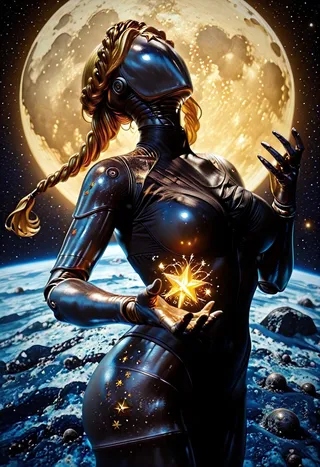
一位擁有金屬肌膚和編織金色辮子的未來感機器人女孩站在月球表面,手持發光魔法星星,背景是地球和一顆明亮的大月亮。
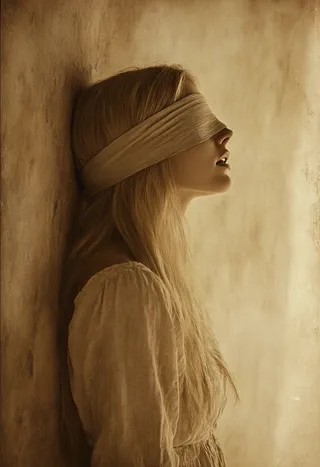
一位長金髮女子蒙著布條眼睛的側面像,頭部倚靠在帶有紋理的牆上,暖棕色的褐色色調喚起懷舊的復古感覺。
帶有全息影像和先進技術的未來城市,地球 2150 年。

漫畫 圖片

細緻動畫風格女性肖像,穿著花卉和服,黑髮點綴粉紅花朵,背景為茂盛綠色自然環境及粉紅花朵與柔和體積光。
紫藍色頭髮的動漫女孩穿著粉紅色唐裝,坐在青綠色沙發上,手持托盤端飲料,背景是咖啡館環境。
辮著紅髮、穿著海軍藍帶金邊校服的動漫女孩,雙腿分開坐著,紅眼睛看著觀眾,佩戴紅色緞帶和耳環。
一位穿著全息透明乙烯衣及大型耳機的動漫少女特寫肖像,配有稜鏡光影和鮮豔色彩。
一位黑髮黃眼、塗黑色口紅及有雀斑,戴鈴鐺項圈和黑色衣物的漫畫風格貓娘。
一隻恐怖的外星生物,頭頂著藍色火焰,眼睛發光,悄悄地在一個陰暗、氛圍沉重的景觀中前行,周圍點綴著粒子與煙霧效果,採用復古漫畫風格呈現。
毛茸茸的動漫風格貓咪撲向發光的霓虹油漆飛濺,搭配漫畫線條和塗鴉風質感。
極近距離黑白漫畫素描,描繪邪惡毛茸茸的Moly,銳利牙齒和強烈眼神,背景為鮮豔粉紅色霓虹漸層。
動感動漫風格描繪一名穿破損白色和服及草帽的骷髏戰士,揮舞著刀,背景是白色並有黑色墨汁飛濺環繞。
細緻的墨水濃郁漫畫風格特寫,描繪一位年輕女子,深色糾結髮絲部分遮蓋蒼白臉龐,清晰可見的大綠眼與雀斑,使用單色調與表現力強的線條及密集交叉陰影繪製。

科幻 圖片

肌肉發達的賽博朋克親分ヤクザ男子,綁著馬尾,背部帶有發光紋身,穿著武士褲和紅色腰帶,站立於動態姿勢,手持劍。
超寫實半身機械人,面部白色裂痕覆蓋苔蘚與野花,置於茂盛森林中,配有生銹金屬零件與發光綠眼。
高細節未來機械人頭像,中央單眼,超高清8K質素,黑暗背景配景深效果。
一個具有有機流動黑色紋理且帶有紅色發光孔洞的生物形態反烏托邦生物,置於靈感來源於Mark Rothko風格的大型圓形和紅色、橙色、黃色及暗色調區塊的充滿活力抽象背景中。
一名戴連帽衫的暗殺者以動態蹲伏動作姿勢,穿著飄逸服裝並披圍巾,置身於黑暗山洞中,映照著鮮亮的霓虹藍紫色燈光。
一位受蒸汽龐克啟發的機器女孩,擁有光滑的瓷質身體,裝飾著精緻的金屬和金色細節,發光的眼睛,獨特寬大的機器人頭部,背景為復古華麗的工業內裝。
一位未來派女性機械人,短綠髮配備機械貓耳,自信地站立於霓虹燈光走廊,穿著光澤緊身衣和高跟鞋。
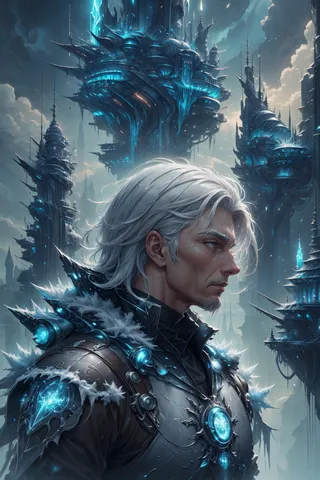
白髮智者老人肖像,身穿冰冷盔甲,深思地注視著飄浮的未來城市,城市中有高塔及藍色發光燈光,天空多雲。
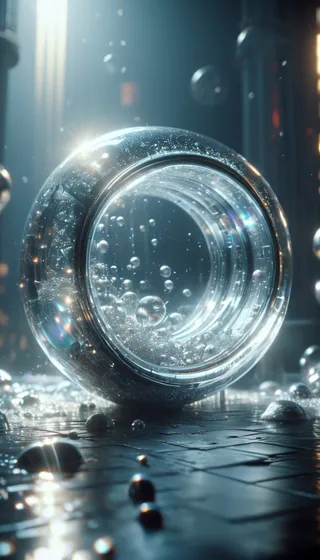
一個透明且帶有虹彩光澤的球體,躺於潮濕且有紋理的表面,上面由戲劇性電影燈光照明,內部及周圍散布著眾多氣泡。
一座未來主義科幻摩天大樓建於懸崖上,帶有蜿蜒陽台,俯瞰河谷,黃金時刻光線和霧氣背景。