Jib Mix Artful - v1.0
ハイライトされた画像

推奨プロンプト
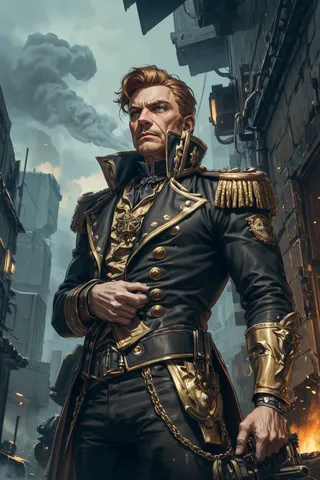
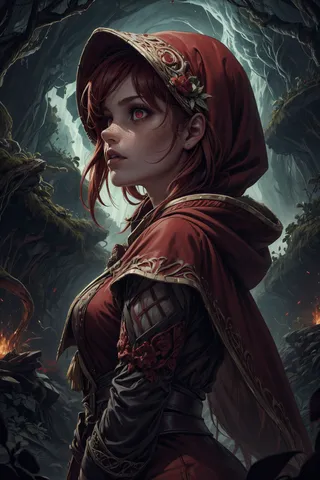
deep impasto brush strokes,painterly style,looking at the camera
painterly style
推奨ネガティブプロンプト
((bokeh)), Deviantart, jpeg, (worst quality, low quality, normal quality, lowres, low details, oversaturated, undersaturated, overexposed, underexposed, grayscale, bw, bad photo, bad photography, bad art:1.4), (watermark, signature, text font, username, error, logo, words, letters, digits, autograph, trademark, ugly, name:1.2), (blur, blurry, grainy), morbid, asymmetrical, mutated malformed, mutilated, poorly lit, bad shadow, glitch, draft, cropped, cartoon, anime, out of frame, cut off, ((bokeh)) Deviantart, censored, jpeg artifacts, out of focus, duplicate, (airbrushed, semi-realistic, cgi, render, blender, digital art, manga, amateur:1.3), (3D, 3D Game, 3D Game Scene, 3D Character:1.1), (bad hands, bad anatomy, bad body, bad face, bad teeth, bad arms, bad legs, deformities:1.3)
推奨パラメータ
samplers
steps
cfg
resolution
ヒント
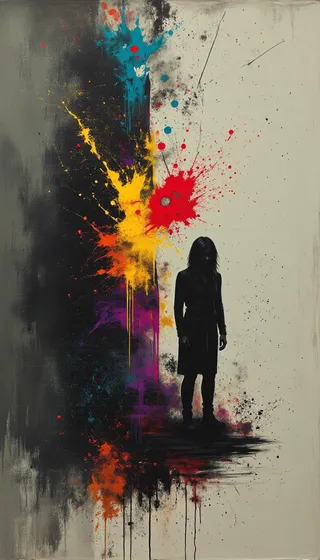
深く見える絵の具や筆跡を出すために、プロンプトに「deep impasto brush strokes」と「painterly style」を含めてください。
ポートレートプロンプトには「looking at the camera」を追加して被写体が直接カメラを見るようにしてください。
バージョンのハイライト
初期バージョン
私は、絵画および描画スタイルに非常に優れていることに気づいたJib Mix Realistic 11モデルのバージョンを取り、さらに芸術的なLorasを混ぜてよりアーティスティックにしました。
本当に深く見える絵の具や筆跡を出したい場合は、プロンプトに「deep impasto brush strokes」および「painterly style」を入れてください。
ポートレートでは、被写体が多くのstable diffusionモデルのようにデフォルトで「カメラ」を見ないことがあるので、それを望む場合はプロンプトに「looking at the camera」を入れると良いです。